



Loading workspace...

Seedream 5.5 Generator AI

Create Images From Text And Edit With References

Use Seedream 5.5 generator AI to turn a written brief into an image or bring a reference photo and describe what to change. This SeeAPI workspace opens with ByteDance’s Seedream 5.5 selected. If you came looking for official Seedream 5.5 free access, check the generation cost and your available credits in the workspace before you submit.

Text-To-Image Generation
Reference-Based Image Editing
Hero image
Seedream 5.5 Generator

What You Can Make With Seedream 5.5 Generator AI

These creative illustrations show three briefs you can try in Seedream 5.5 generator AI. Choose the one closest to your next project when you evaluate official Seedream 5.5 free access.

Build A Product Shot From A Prompt

Build A Product Shot From A Prompt

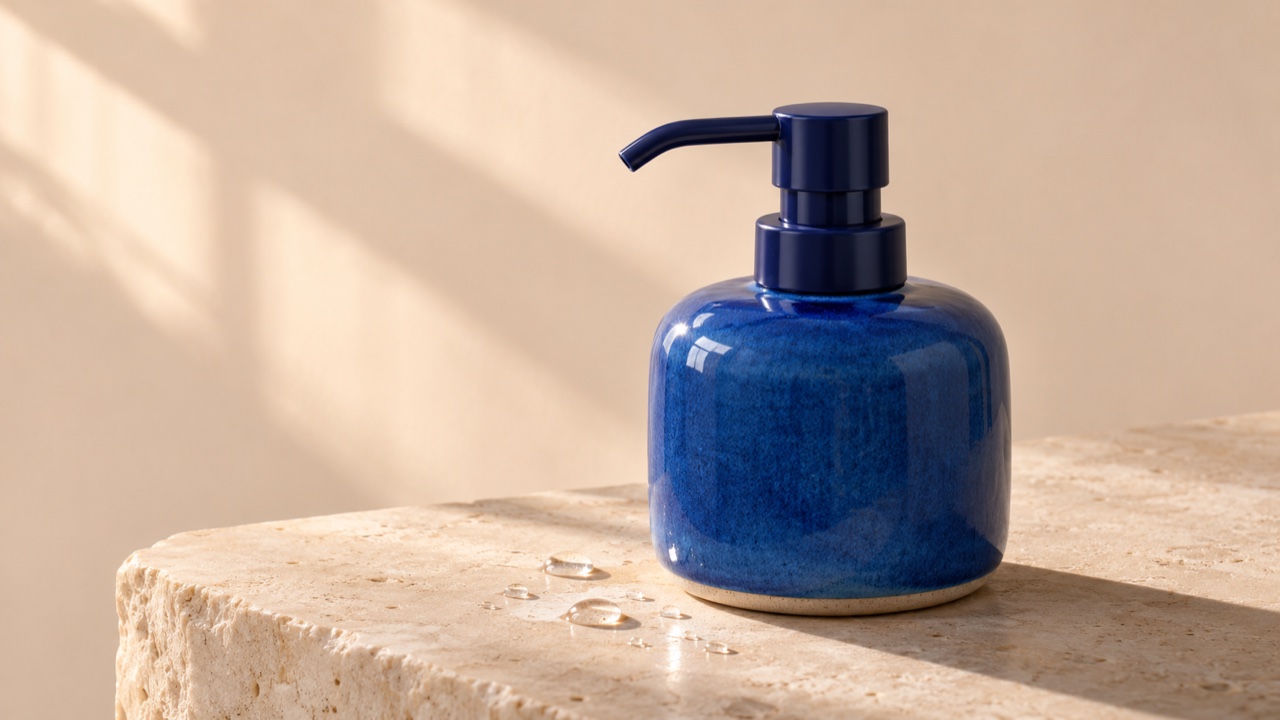
Give Seedream 5.5 generator AI a subject, a surface, a light source, and a camera angle. The ceramic bottle illustration shows how a few concrete decisions work together. Cobalt glaze gives the bottle a distinct color, pale stone keeps the frame quiet, and directional morning light makes the shape readable. Try describing a single product first if you are evaluating official Seedream 5.5 free options. Once you have the silhouette you want, use Seedream 5.5 generator AI to test a warmer light or a tighter crop, changing one detail at a time.

Change The Setting And Keep The Subject

Change The Setting And Keep The Subject

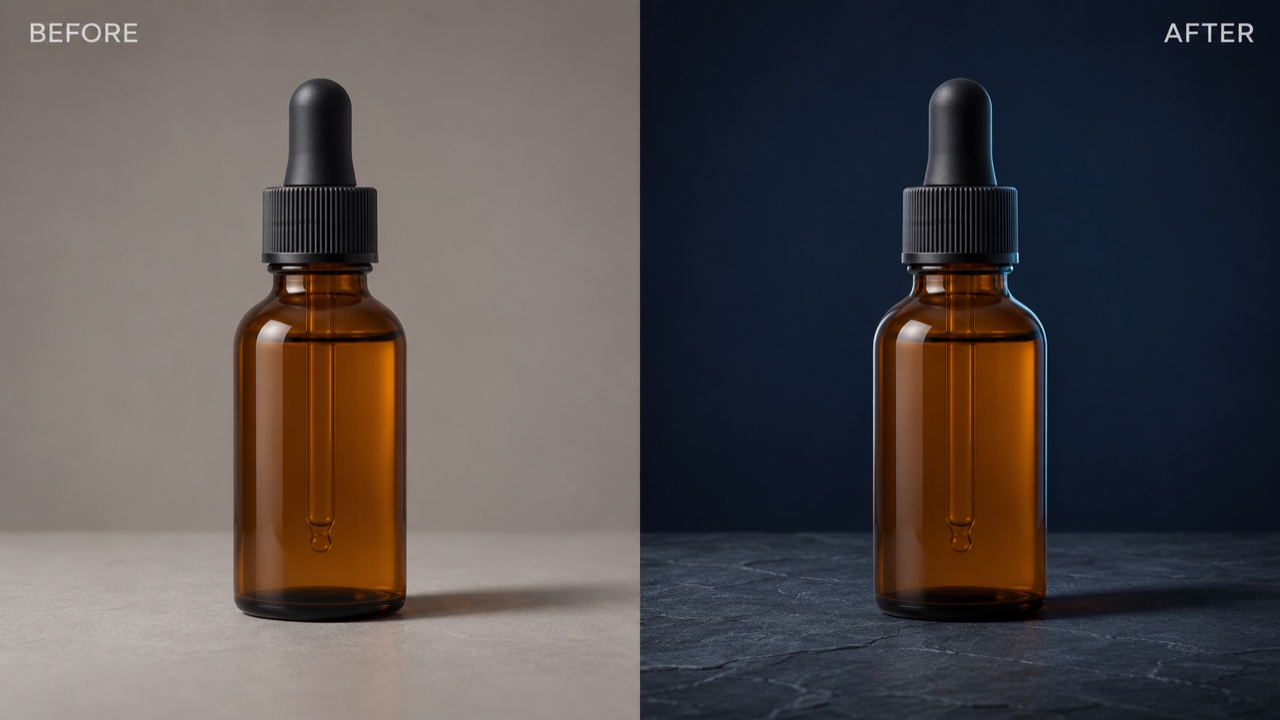
Upload a source image to Seedream 5.5 generator AI, then say what should change and which details should carry through. The bottle comparison illustrates a brief that swaps a gray studio for dark slate while retaining the bottle shape, cap, and framing. For an official Seedream 5.5 free trial, a background change is a manageable first test. In Seedream 5.5 generator AI, compare the cap ridges, glass reflections, and contact shadow with the original. If those details matter for a listing, inspect the result at full size before using it.

Draft A Poster With A Short Headline

Draft A Poster With A Short Headline

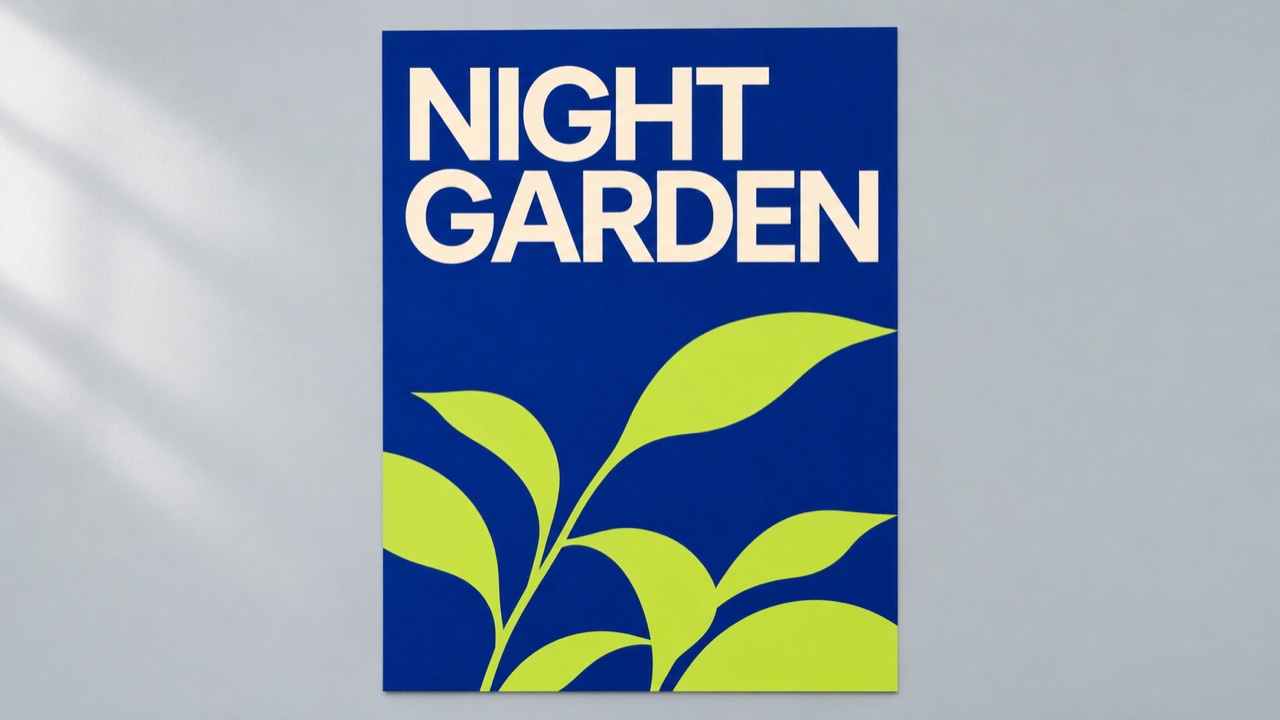
Ask Seedream 5.5 generator AI for a short title with clear instructions on placement, scale, and contrast. In the poster concept, NIGHT GARDEN is the focal point and the leaves stay below the type. An official Seedream 5.5 free evaluation can start with a two-word title because spelling and hierarchy are easy to judge. With Seedream 5.5 generator AI, check every letter and review the layout at thumbnail size. If the design needs dates, ticket details, or legal copy, reserve space and add those lines in your layout editor.

How To Use Seedream 5.5 Generator AI

Take one well-defined brief through Seedream 5.5 generator AI. If you are checking official Seedream 5.5 free availability, start with a job whose result you can assess in a single pass.

1

Choose A Prompt Or A Reference

Open Seedream 5.5 generator AI and start with text for a new scene. For an edit, upload the image whose subject, framing, or layout you want to preserve. A sharp source makes it easier to tell which differences came from the edit. For your first official Seedream 5.5 free test, choose one image and one change so the result gives you a clear answer.

2

Write The Brief In Visual Terms

In Seedream 5.5 generator AI, lead with the main subject and say where it sits in the frame. Add lighting, color, or material only where it matters. For an edit, put the change and the details to preserve in separate sentences. If you are planning an official Seedream 5.5 free trial, prepare that brief ahead of time so you can use an available run on a realistic task.

3

Check The Cost And Generate

Confirm the input and review any cost shown by Seedream 5.5 generator AI before submitting. Current official Seedream 5.5 free eligibility depends on the provider or offer you are using. On SeeAPI, check your own account and any credits you can apply to this model. If the cost works for your project, generate the image and keep the brief you used.

4

Inspect The Result And Refine

Compare the result from Seedream 5.5 generator AI with the brief before asking for another version. Check the crop first, then look at the edges, shadows, and any lettering. If you have another run available through official Seedream 5.5 free access or credits, revise the instruction tied to the biggest difference. Keep the strongest version as the reference for the next edit.

Creative Workflows For Seedream 5.5 Generator AI

Use Seedream 5.5 generator AI to explore a look or develop a specific asset. Match your first official Seedream 5.5 free test to the deliverable you need so you can judge the result at its intended size.

Product And Campaign Concepts

Sketch a seasonal product shot in Seedream 5.5 generator AI before arranging a studio session. Use a product reference when shape and packaging are part of the decision. A focused official Seedream 5.5 free test could compare how a single bottle reads on stone and paper. Use the results from Seedream 5.5 generator AI to agree on a background direction, then check the real product details before preparing public assets.

Editorial Covers And Social Posts

Use Seedream 5.5 generator AI to explore a cover with a strong subject and space for a headline. Decide where the title will go before writing the prompt. If you are considering official Seedream 5.5 free access for social content, judge the concept in a feed-sized crop. In Seedream 5.5 generator AI, refine the framing around the most important shape, then lay out the final headline and logo at the target size.

Art Direction And Pitch Boards

Turn a written mood into a visual direction with Seedream 5.5 generator AI. Try a brief built around three cues, such as smoked glass, indirect blue light, and a low camera angle. For an official Seedream 5.5 free evaluation, choose a direction your team can discuss against a real brief. Save the prompt and the strongest image from Seedream 5.5 generator AI so later versions have a shared point of reference.

A Coordinated Set Of Images

Begin with the approved image in Seedream 5.5 generator AI and name the shared traits that should carry across the set, such as camera height, light direction, and color temperature. A useful official Seedream 5.5 free trial is to request a single variation and put the two images next to each other. With Seedream 5.5 generator AI, carry forward a clean source whenever several edits start to shift the look away from the original.

What To Check For Official Seedream 5.5 Free Access

If your search for official Seedream 5.5 free access brought you here, distinguish the model release, the provider’s access terms, and the credits in your own account. Then decide how to evaluate Seedream 5.5 generator AI.

Confirm The Model Version

ByteDance introduced Seedream 5.5 for image generation and editing. On this page, Seedream 5.5 generator AI uses that model as its only selection. When comparing official Seedream 5.5 free listings across providers, check that the version matches the one in the generator. Save the model name with your prompt so you can reproduce the same test conditions later.

Check Your Available Credits

Start with the balance and generation cost shown for your account in Seedream 5.5 generator AI. An official Seedream 5.5 free offer can have eligibility rules, an expiry date, or restrictions on which actions it covers. If you are comparing official Seedream 5.5 free options, check how many runs you can actually use on the same brief and review the current terms before scheduling a batch.

Choose A Small First Job

Give Seedream 5.5 generator AI one clear task, such as keeping a product centered while changing the background. That makes the first official Seedream 5.5 free run easier to assess than a brief with several unrelated revisions. If you have time for a second pass, use Seedream 5.5 generator AI to test the one adjustment that would make the biggest difference to the final asset.

Seedream 5.5 Generator AI FAQ

Answers about model access, image inputs, and what to verify when comparing official Seedream 5.5 free options.

Check the generation cost and your available balance in Seedream 5.5 generator AI. Eligibility for official Seedream 5.5 free access depends on the offer and account. If your account shows eligible credits, verify that they apply to Seedream 5.5 and cover the request you plan to submit. Access on another provider follows that provider’s own terms.

Start With A Brief You Can Evaluate

Make Your First Image With Seedream 5.5 Generator AI

Open Seedream 5.5 generator AI with a prompt or a reference image. If you are checking official Seedream 5.5 free access, review your balance and generation cost before you run your first brief.

Seedream 5.5 Selected
Text And Image Inputs